
Smarter Tables with New Calculated Columns
The latest 1point enhancement gives you the power to add calculated columns to your custom tables. Choose from three flexible options, Formula, Lookup, or Aggregate columns. Create formulas using values from the same row (and even reference other formula columns), pull in related data from other tables with lookups, or calculate values across multiple matching records with aggregates. You can edit calculated columns anytime from the Tables page, while viewing them as read-only during data entry. Simply hover over a column header to see its metadata and formula details. Watch the video to see calculated columns in action.
Smarter LAS Management with Rule-Based Filtering
Just like Drillhole Tags, you can now apply and save rule filters to your geophysics data in the LAS Manager. Once filtered, you can tag selected LAS files to make sorting, collating, and exporting your data even easier. Watch the video to see how it works.
Smarter, Faster Data Entry
We’ve rolled out several updates to make data entry faster, easier, and more flexible:
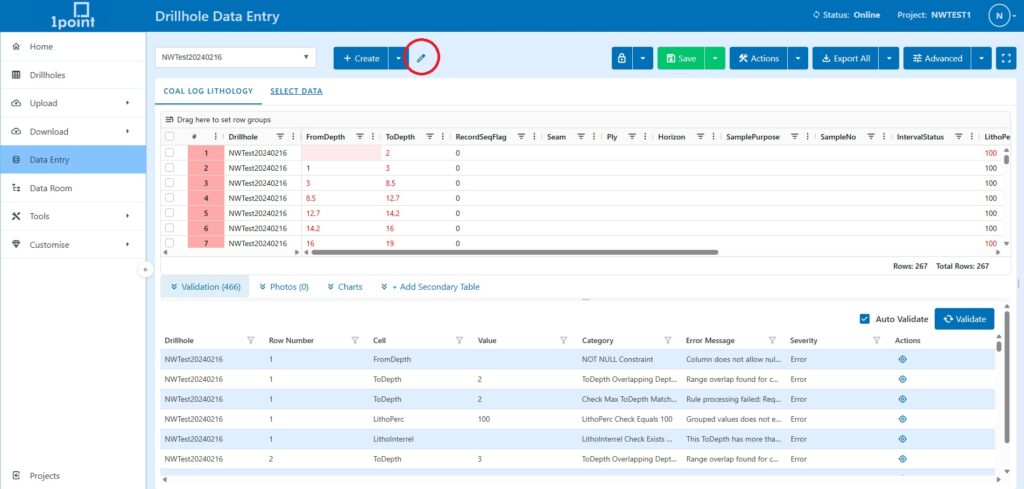
- Edit drillhole names directly in Data Entry, even while working offline.
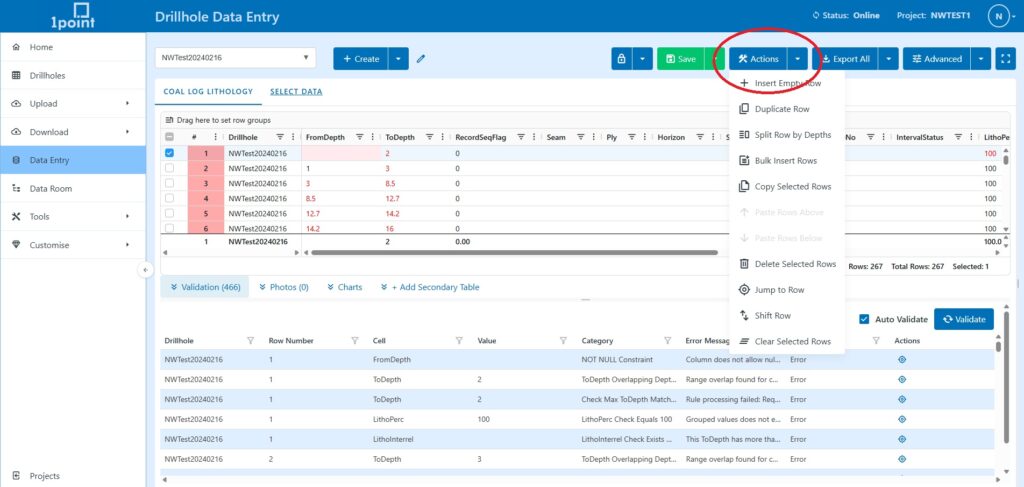
- Enhanced row actions are now available via the right click menu or the actions dropdown, including Split Row by Depths, Bulk Insert Rows, Jump to Row, and Shift Row.
- New advanced options give you more control, including auto-advance on max length, convert text to uppercase, tablet mode (larger interface with screen lock prevention), and vertical headers for easier reading.
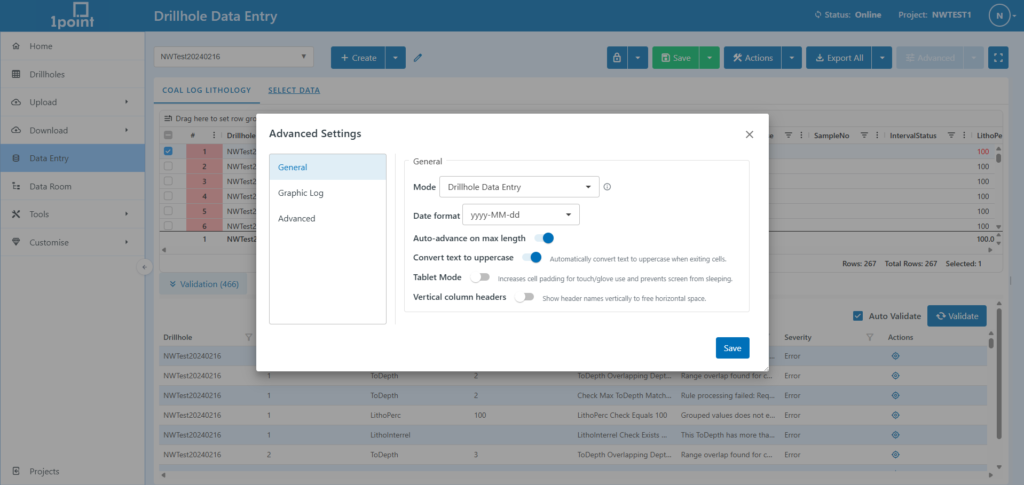
- Faster validations help you catch issues sooner without slowing down your workflow.
Watch the video to learn how to get the most out of offline data entry.
Faster Data Exports Are Here
Exporting your data is now faster and easier than ever. Simply select the data you need, apply any queries, and download the results to your device in seconds. Watch the video to see just how simple it is.
We’ve moved!
1point is now live at https://www.1point.app/. Don’t worry, all old links will redirect automatically.
Navigation updates
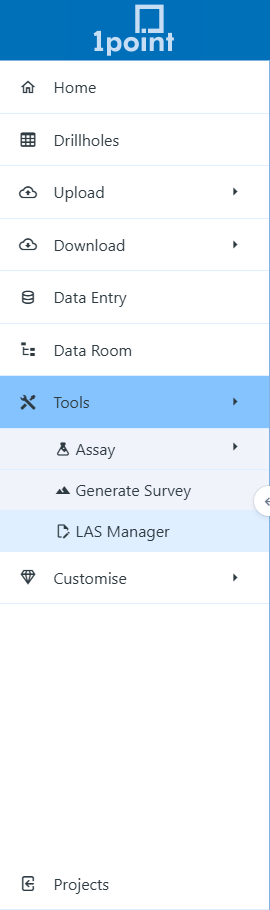
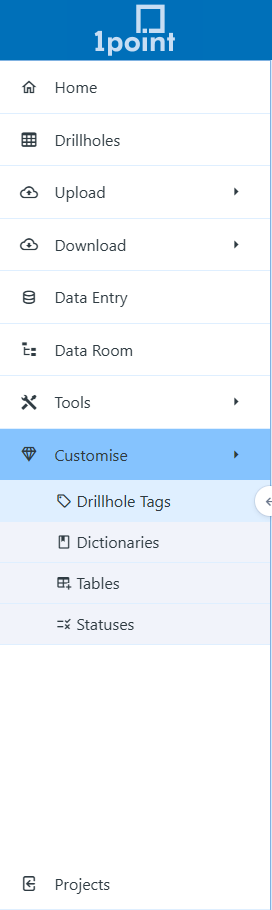
We’ve updated the 1point navigation to make it more intuitive. The Advanced section is now called Customise, and all project and company configuration features remain there, such as Drillhole Tags, Dictionaries, Tables, and Statuses. Features such as Assay Management, Generate Survey, and LAS Manager have been moved to the new Tools tab. Stay tuned for more powerful tools and customisable features in upcoming 1point releases.